For gyms, clubs & venues
Your members’ photos, live on the TV. All day, every day.
GuestCam runs on a wedding for a night. In a gym it runs for good: a QR code on the wall, and every member who scans it can put a photo straight on the TV in the room. Staff approve, hide and block from their phones. Photos roll off after a month, favourites stay a year, and the screen carries your own branding and your own ad slide between the photos.
How it works
A poster goes up
Your QR code on the wall, in your colours and your logo. Members scan it with their phone camera; nothing to install.
Photos land on the TV
Within seconds. Today’s photos, this week’s, or your favourites: you choose what the screen shows, and how often your ad slide appears.
Your staff stay in charge
Everyone on your list can approve, hide and block from their own phone, and every action is in the audit.
Always on
No event dates. The screen runs every day the doors are open; photos roll off after 30 days and favourites stay a year.
Your brand, your page
A page of your own, such as fitnessperfection.guestcam.app, in your colours with your logo, and a TV that carries your name and your ad.
Earn from bookings
Members who book GuestCam for a wedding or party through your page earn you a share. Your posters do the selling.
Consent built in
Members are told on joining that photos go up on the TV for everyone there to see, and agree before they add one.
Safe by default
Every photo is checked for explicit content before it shows; flagged photos are held back and the sender is told.
Favourites, saved
Star the best ones. They are kept for a year, zipped for download, saved to your Google Drive, and cut into a monthly highlights clip for your socials.
Fitness Perfection, Orange NSW
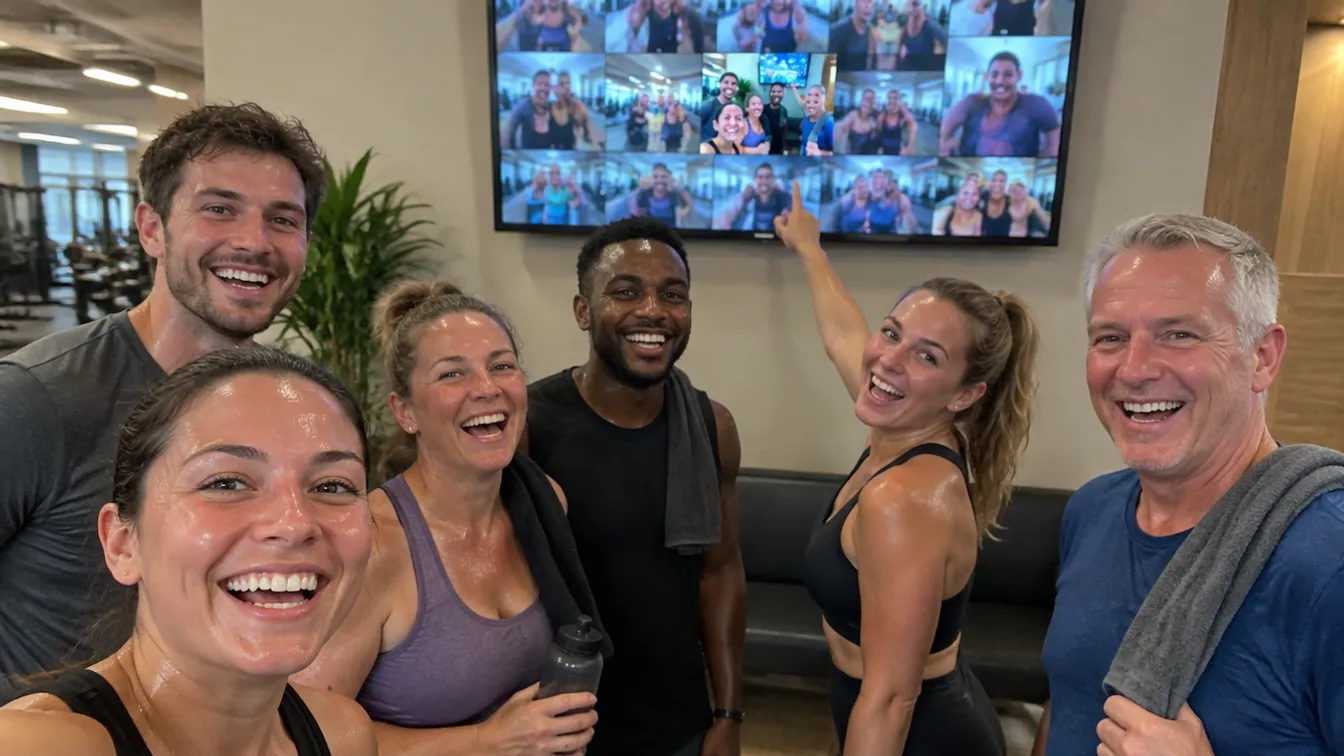
The first gym with GuestCam on the TV. Posters by the door and in the HYROX room carry the QR code; members scan, snap and their photo is on the screen before they have put their phone down. The gym’s staff approve and hide from their phones, the screen plays a GuestCam slide every ten photos, and members who book a wedding or a 21st through the gym’s page earn Fitness Perfection a share.
See Fitness Perfection’s GuestCam page →Photographers and venues: the same service, your brand
Everything a partner gym gets is open to photographers, planners, DJs and venues. Your own page on guestcam.app, your logo and colours on every guest’s phone and on the TV in the room, your referral code on your cards, and a share of every booking that comes through you. GuestCam stays in the background; your clients see you.
Ask about a partner page →Questions organisers ask
Which gyms and venues is this for?
Any room with a TV and a community: gyms, fitness studios, climbing walls, sports clubs, pubs with a regular crowd, co-working spaces, school foyers.
Do members need an app or an account?
No. They scan the QR code and type a name, or sign in with Google if they come often and want to keep one account.
Who moderates the photos?
Your own people. Add staff to the list and each of them can approve, hide and block from their phone. Every action is recorded with who did it and when.
What about inappropriate photos?
Every photo is checked by an explicit-content filter before it reaches the screen. Anything flagged is held back and the member is told; staff see the flag in the audit.
Can we show our own advertising on the screen?
Yes. Between the photos the TV shows a 16:9 slide: a picture or a short silent video of your own, swapped whenever you like.
How does Fitness Perfection use it?
Posters around the gym carry the QR code. Members put their photos on the TV in the room, the gym’s staff manage it from their phones, and the gym earns a share when a member books GuestCam for their own event through fitnessperfection.guestcam.app.
I’m a photographer or a venue. Can I offer GuestCam under my own brand?
Yes. Partners and studios get a page under their own name on guestcam.app, in their colours with their logo, and a referral share on every event booked through it. Guests see your brand on the TV and in the album.
What does it cost?
Partner screens are set up by arrangement. Email [email protected] and we will talk through what your room needs.